My web
Request New TSP Relationship

This job aid is for users of the client credential grant API authentication model. It explains how a Lender Corporate Administrator (Lender CA) may request a new Technology Service Provider (TSP) organization relationship.
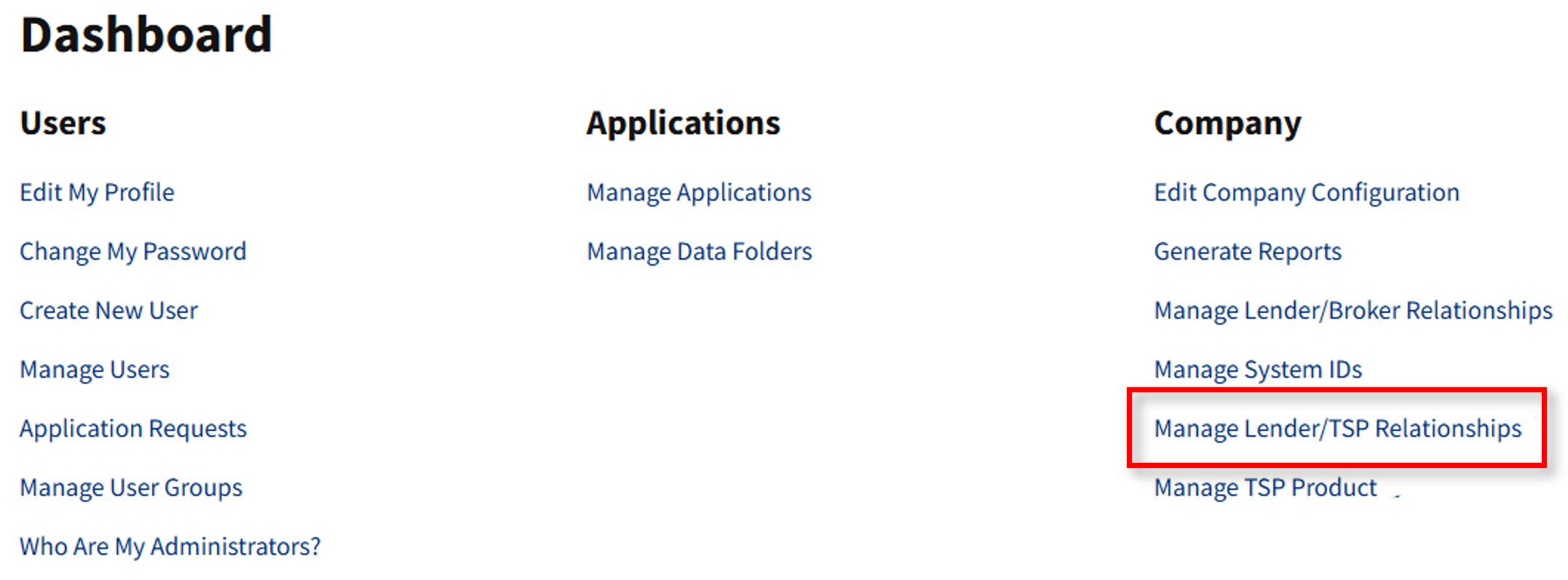
- Go to https://technologymanager.fanniemae.com and log in. Select Manage Lender/TSP Relationships.
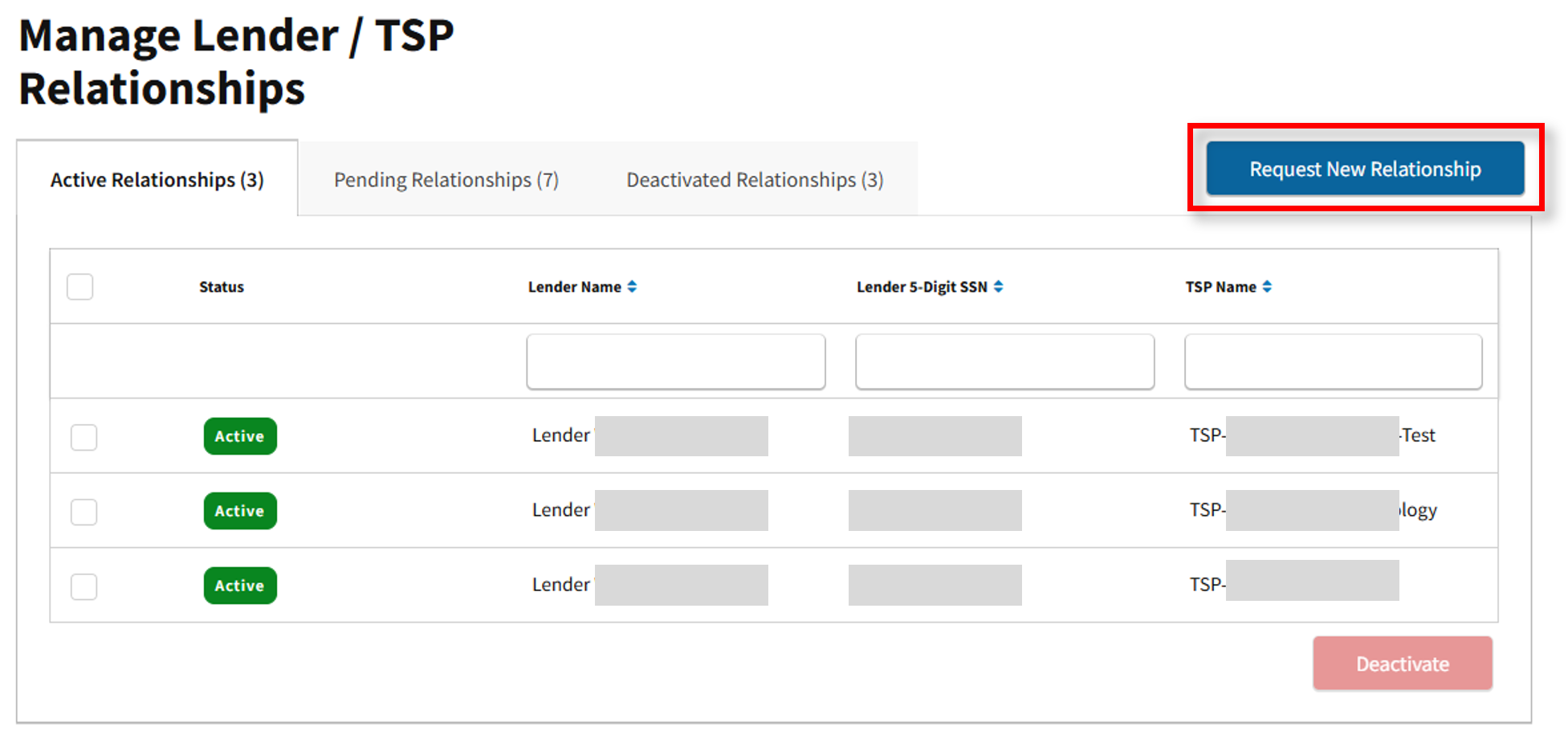
- The Manage Lender/TSP Relationships screen appears. Here you may view Active, Pending, and Deactivated Relationships. Select Request New Relationship.
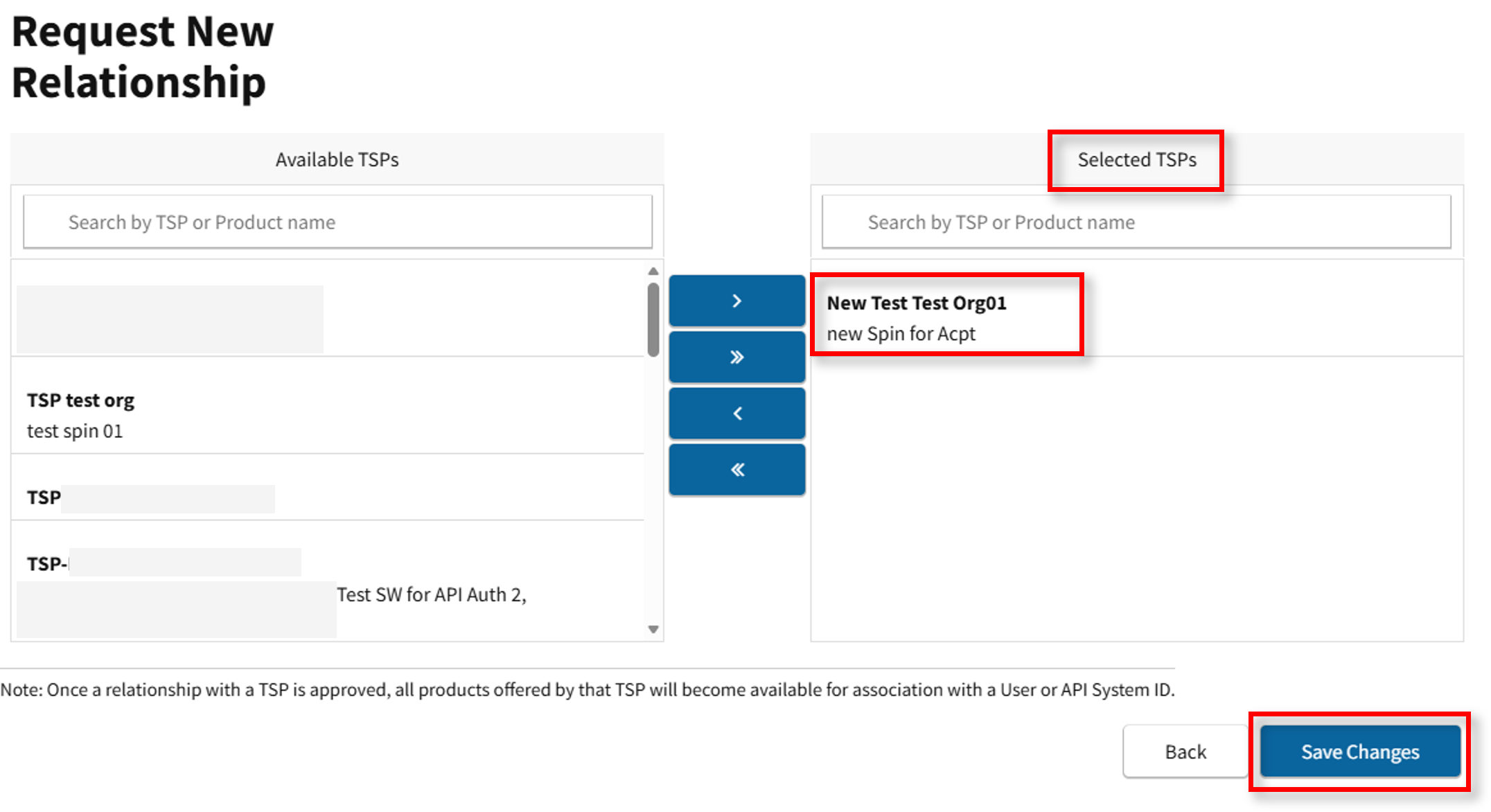
- The Request New Relationship screen appears. The Available TSPs section will display all TSPs. Locate the applicable TSP and select the
 to move 1 TSP or
  icon to move all TSPs to the Selected TSPs section.
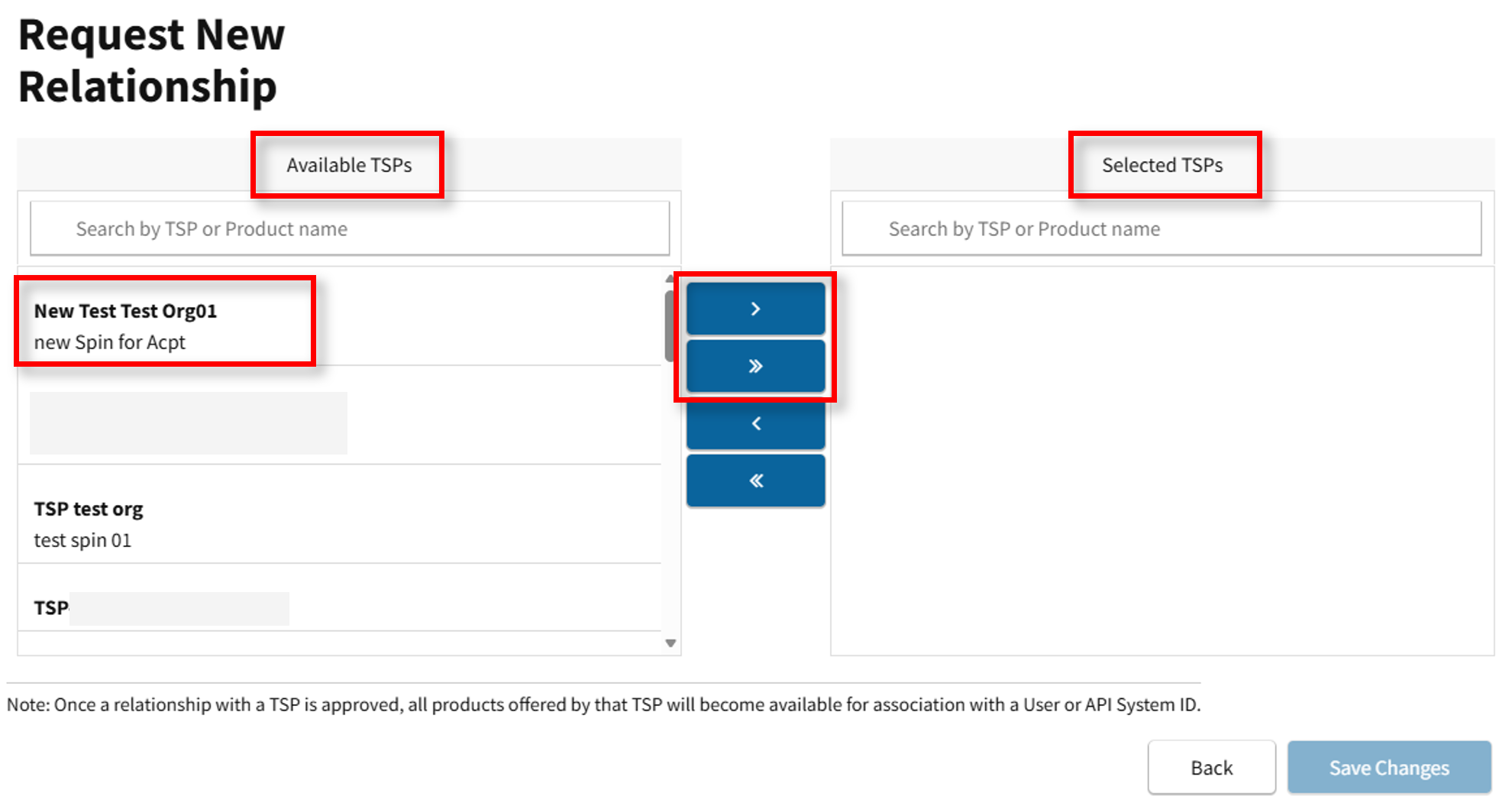
Note: Below the TSP Name, the screen displays the Product(s) offered by the TSP.
- Once TSP is selected, it will move to the Selected TSPs section. Select Save Changes.
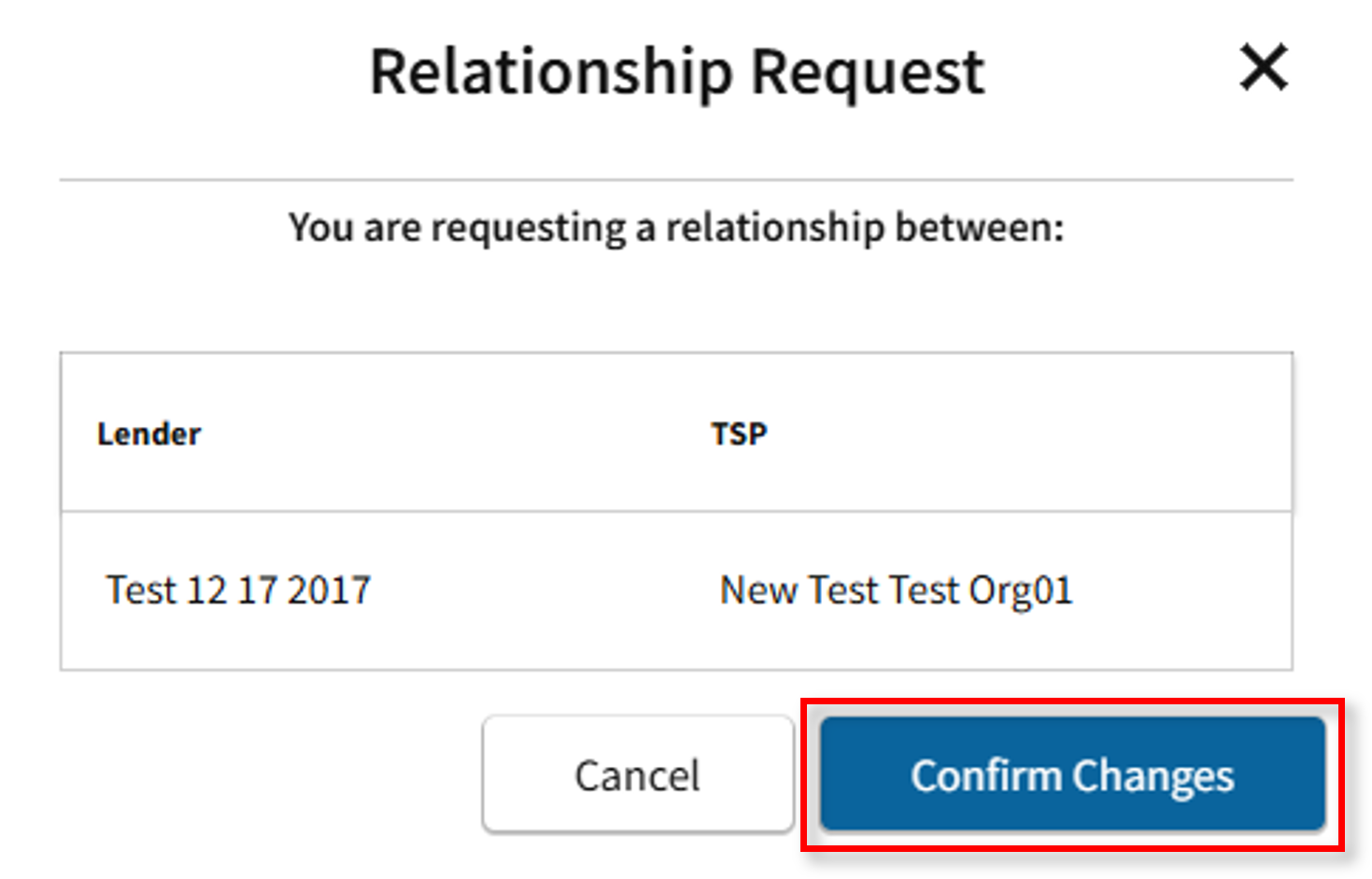
- The Relationship Request confirmation will appear. Select Confirm Changes.
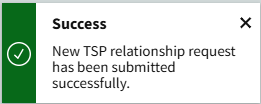
- The Success message will appear.
- The Lender CA is redirected to the Pending Relationships tab.
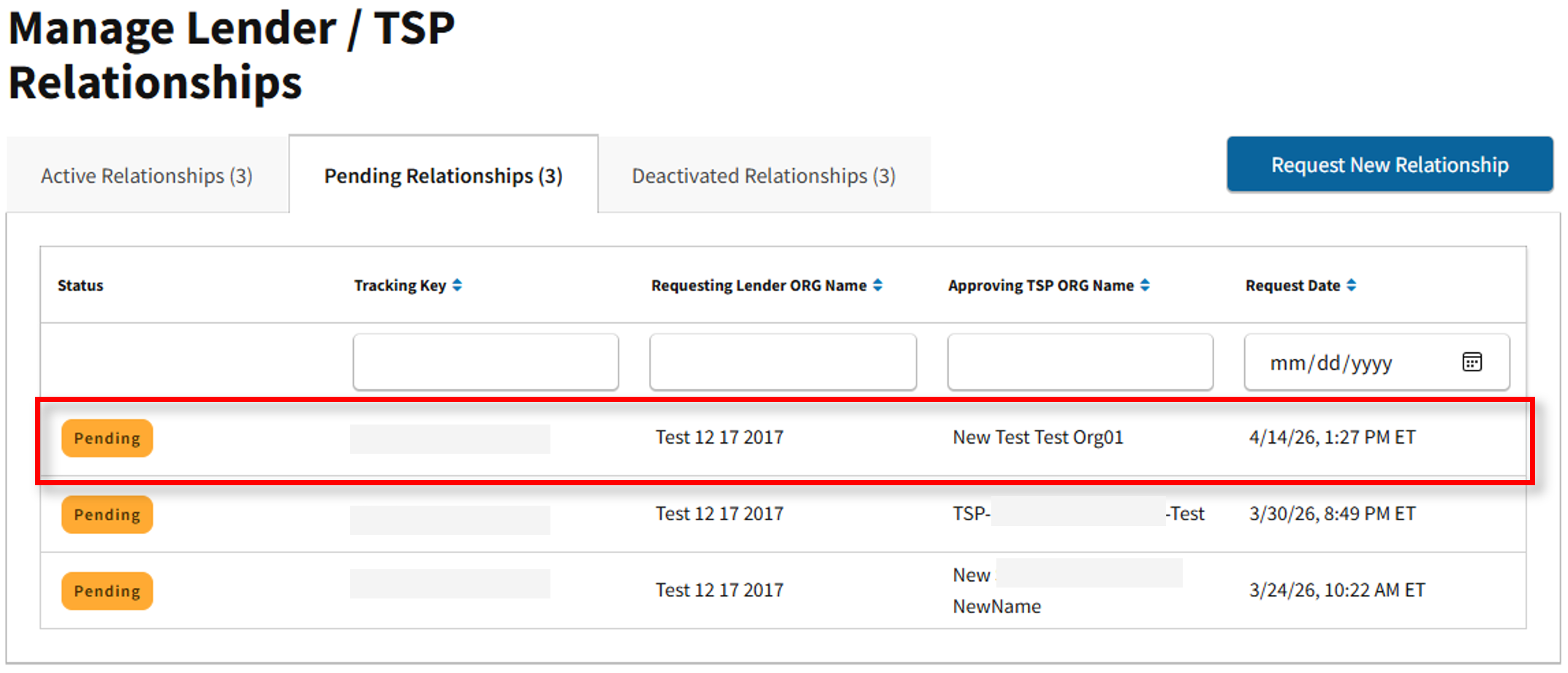
Note: Pending status will appear until the TSP makes a decision. The TSP CA has 90 days to make a decision after which the request is obsolete, and the Lender CA will need to request a new relationship, if necessary.
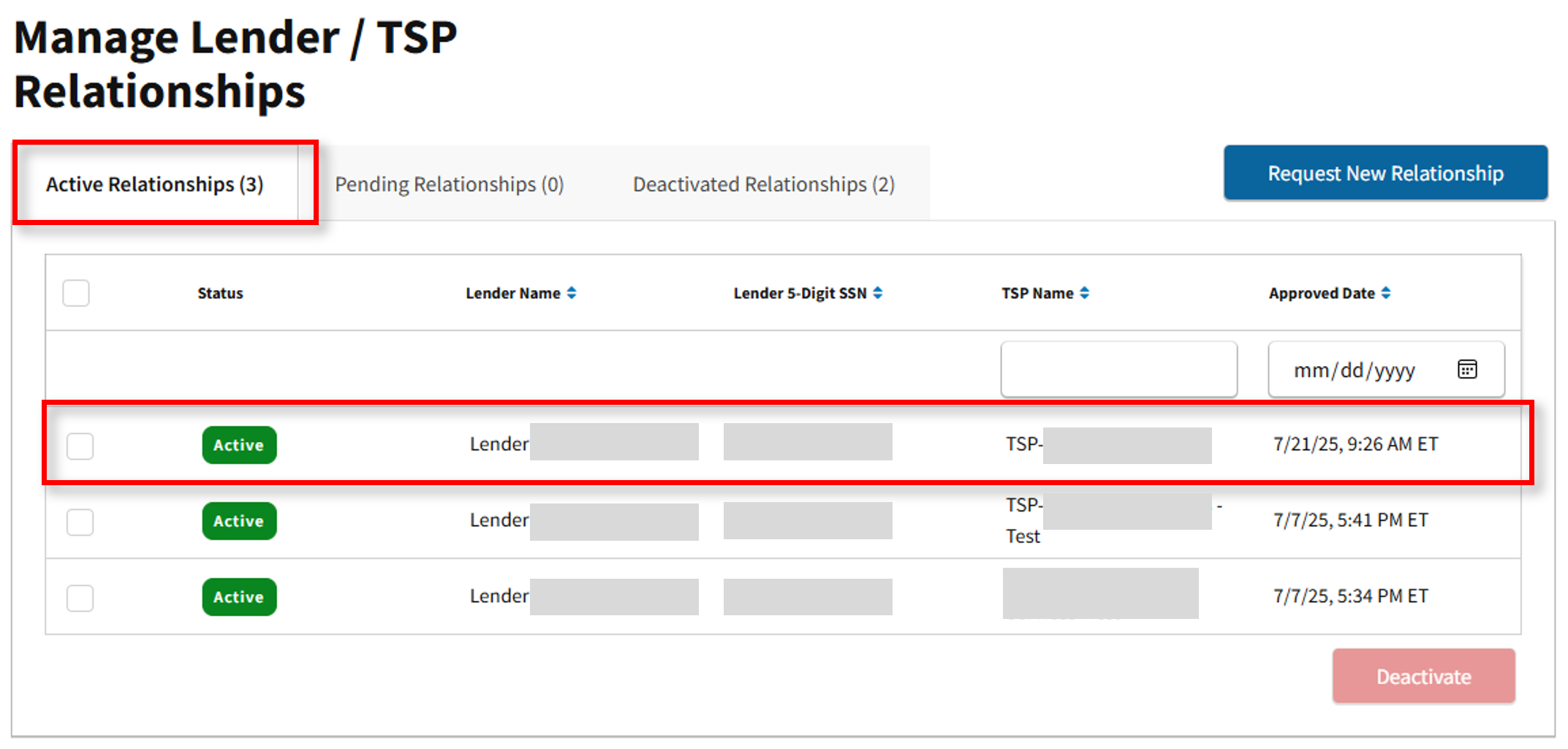
- Once the new TSP Relationship is approved, the new relationship will appear under the Active Relationships tab. The New Relationship has been established.