My web
Modify API System ID

This job aid explains how a Lender Corporate Administrator (Lender CA) may modify an API System ID.
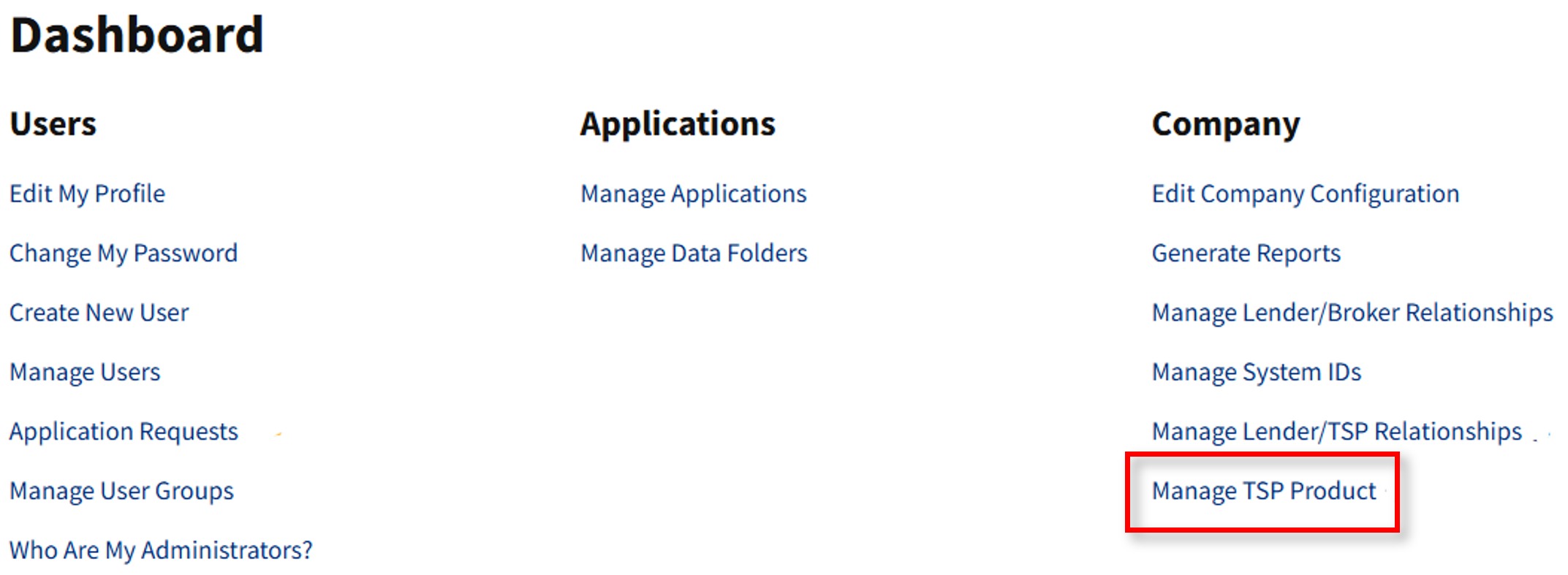
- Go to https://technologymanager.fanniemae.com and log in. Select Manage TSP Product.
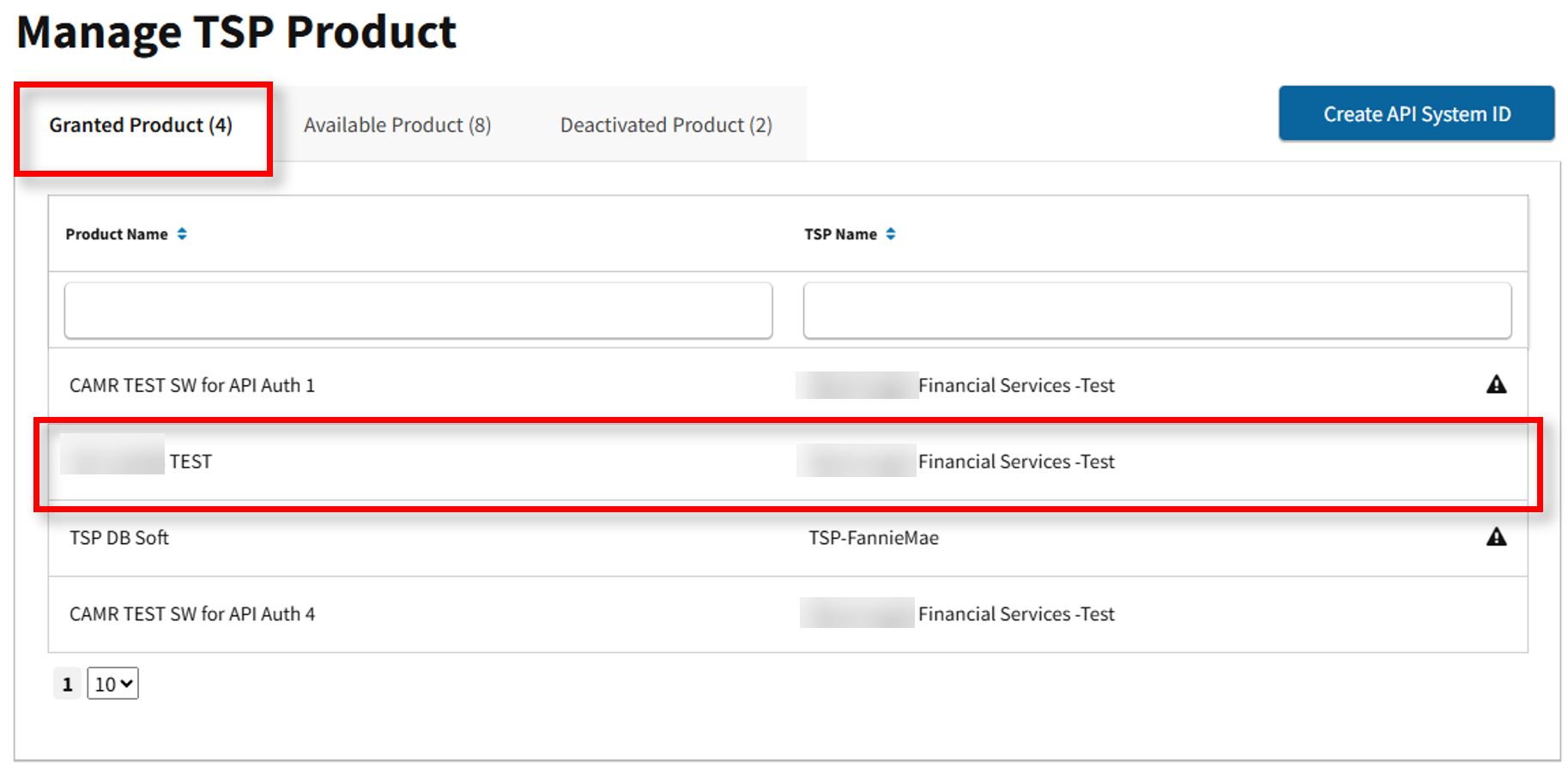
- The Manage TSP Product screen appears. Here you may view Granted, Available, and Deactivated Product. Under the Granted Product tab, select the applicable Product/TSP Name.
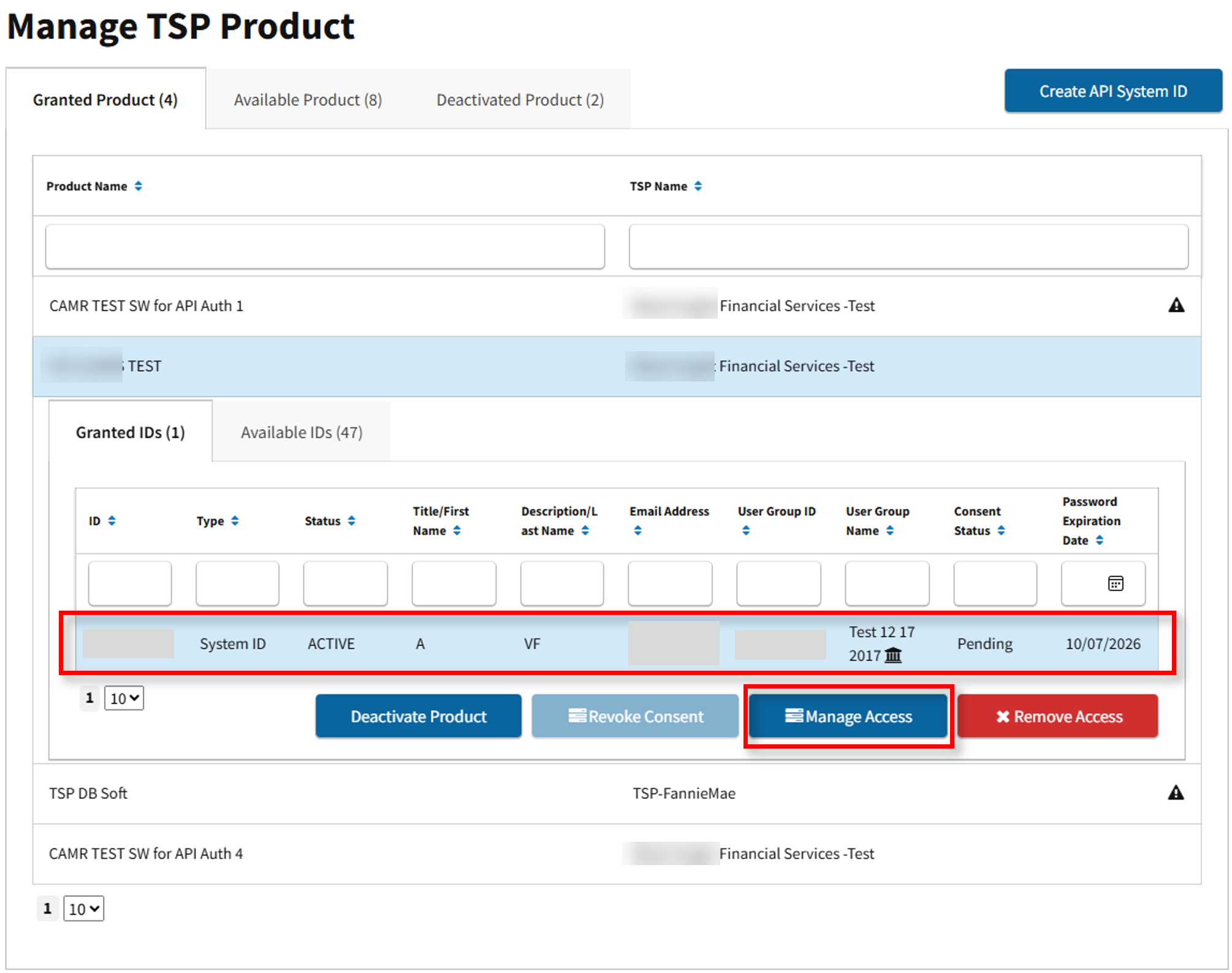
- Select the applicable API System ID to modify, then select Manage Access.
- The Set Up Product screen appears. Here the Lender CA may modify Applications, Roles and Data Folders. Once updates are complete, select Complete Set Up.
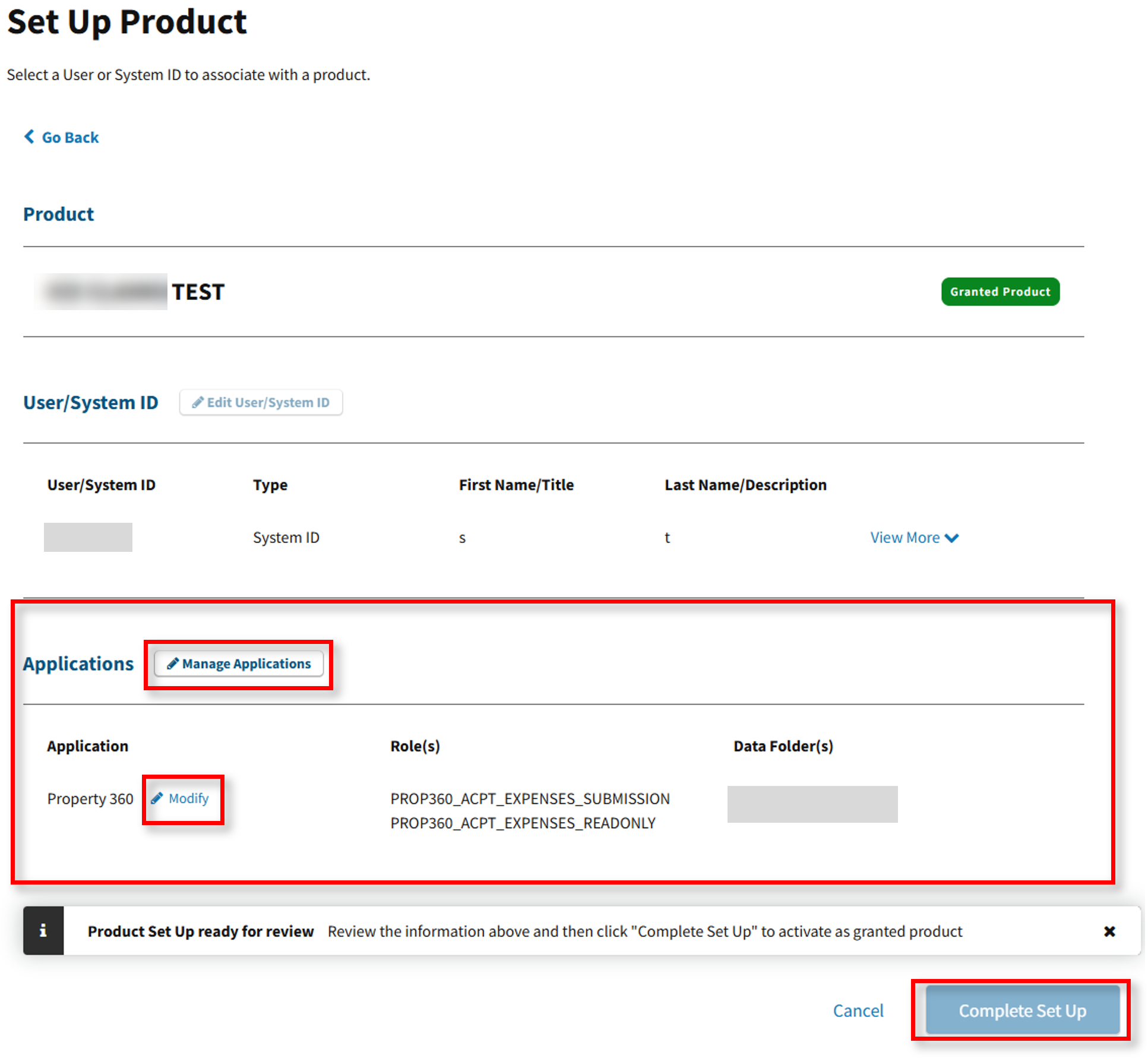
Note: By selecting Manage Applications, this allows the Lender CA to select or deselect an Application. By selecting Modify, this allows the Lender CA to add/remove a Role or Data Folder for an API System ID.
- The Update Successful message box appears.