My web
Manage Client ID Information (TSP CA)

This job aid is only for Technology Service Provider Corporate Administrators (TSP CA) that use the client credential grant API authentication model. It explains how to view and manage Client ID information for API System IDs.
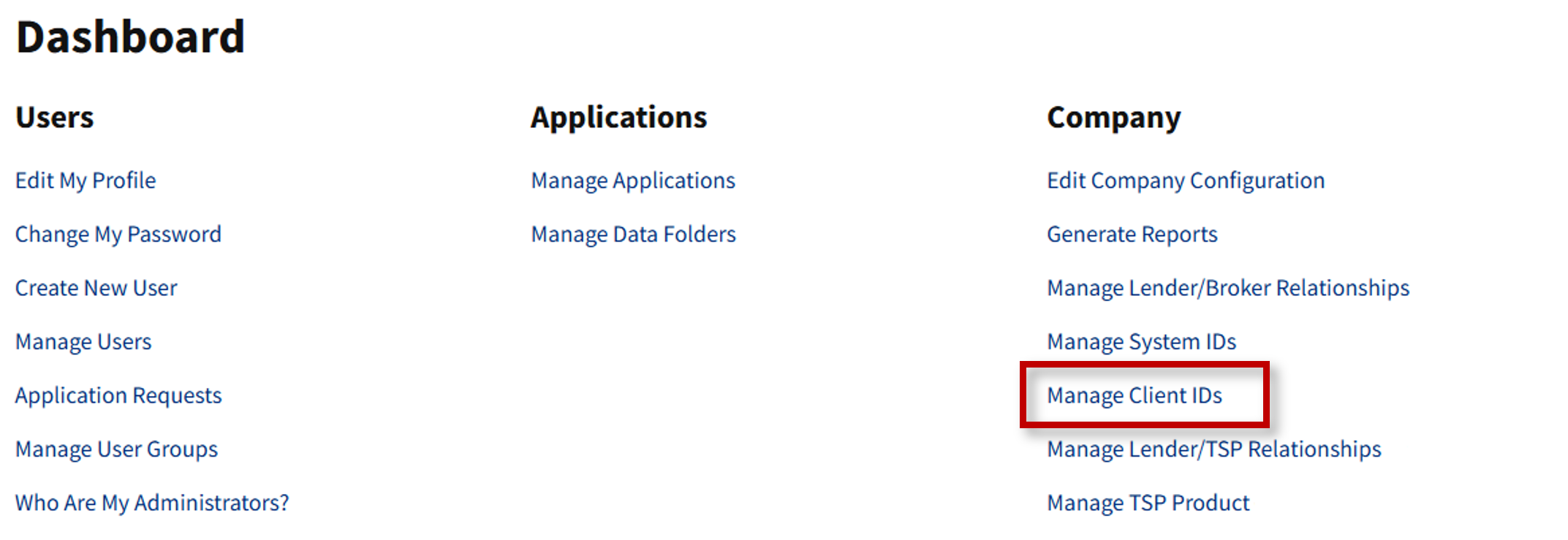
- From the dashboard, select Manage Client IDs.
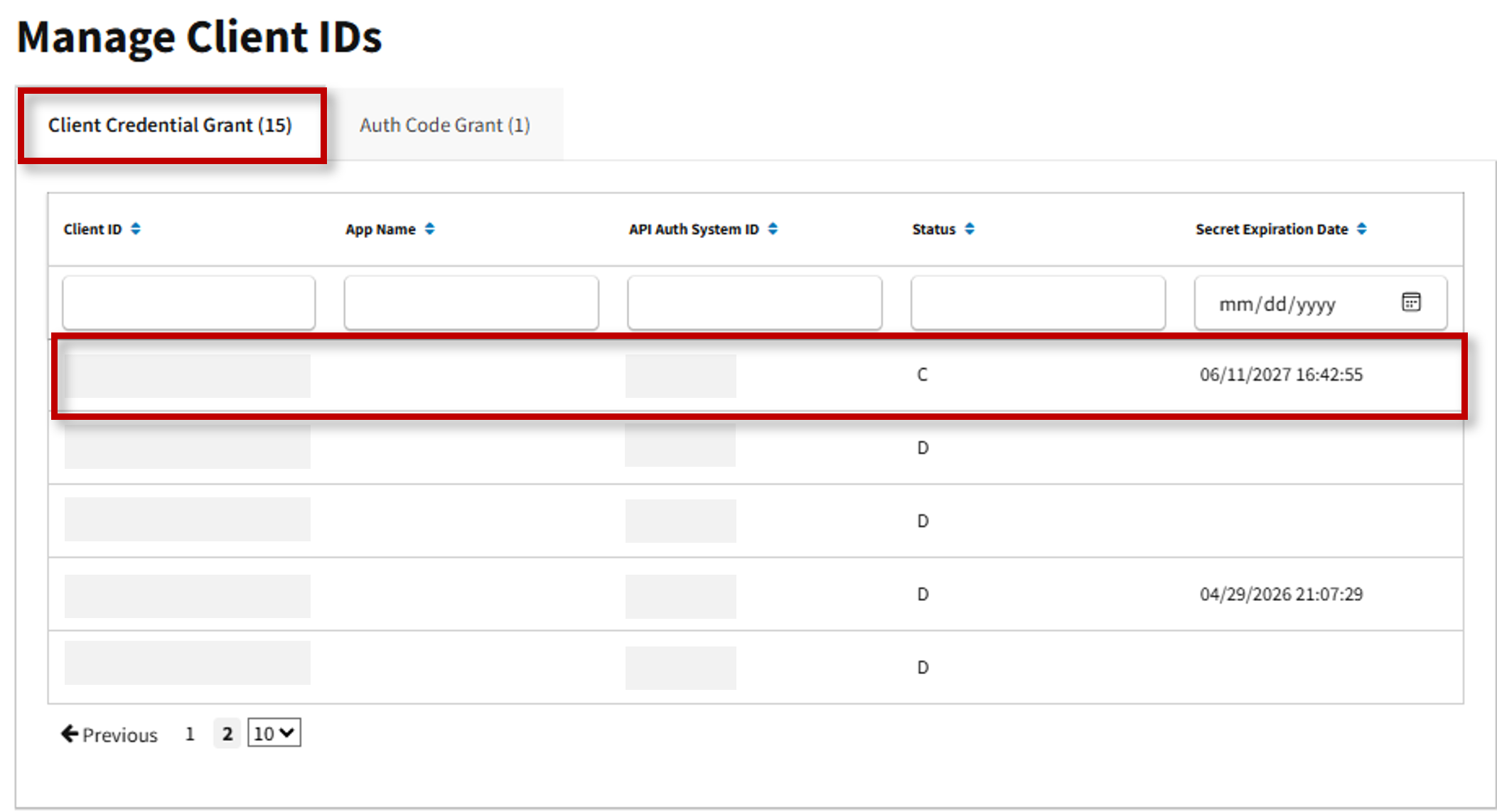
- The Manage Client IDs screen appears, and the Client Credential Grant tab is displayed. Select applicable Client ID.
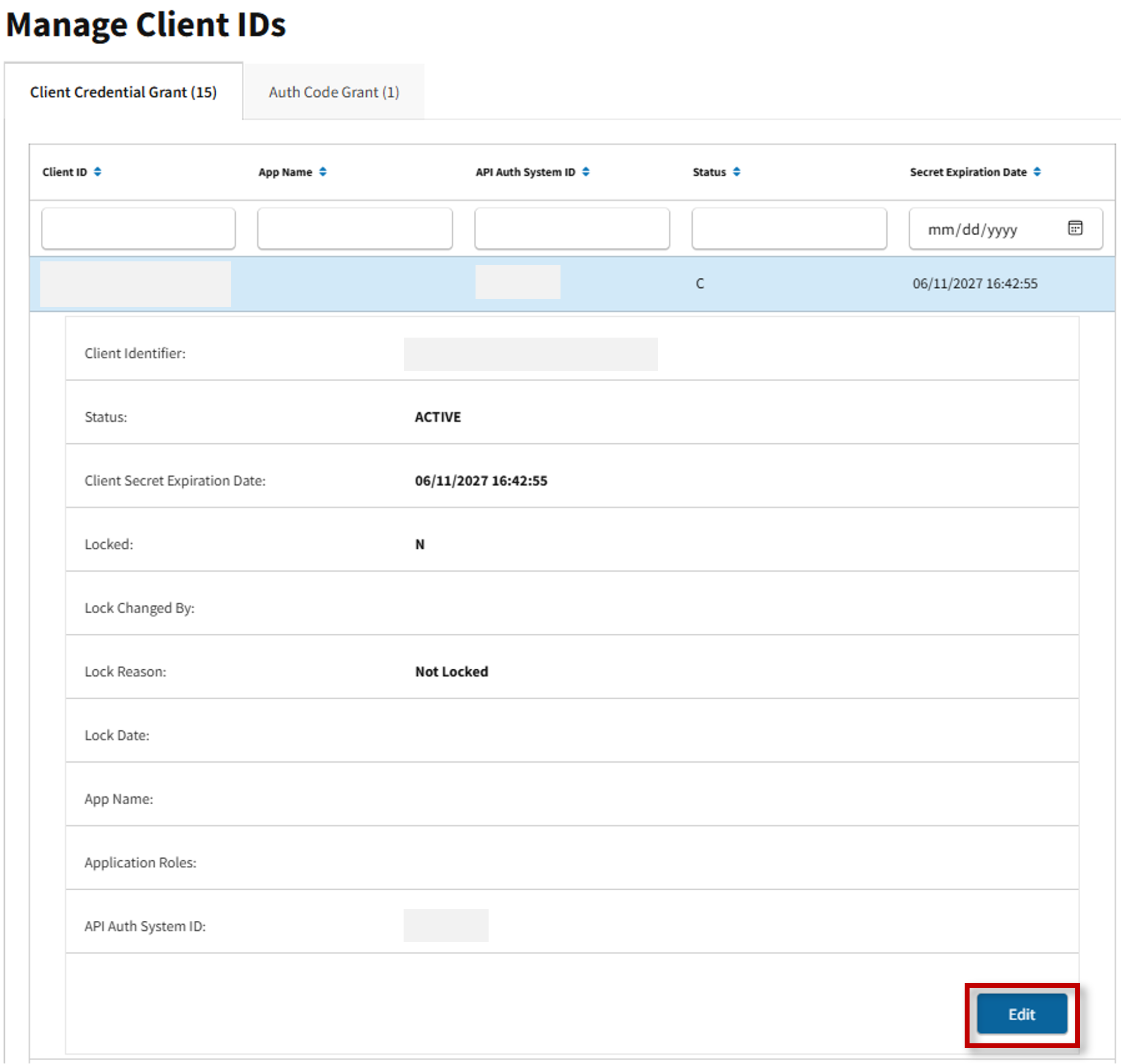
- Client ID information appears. Select Edit.
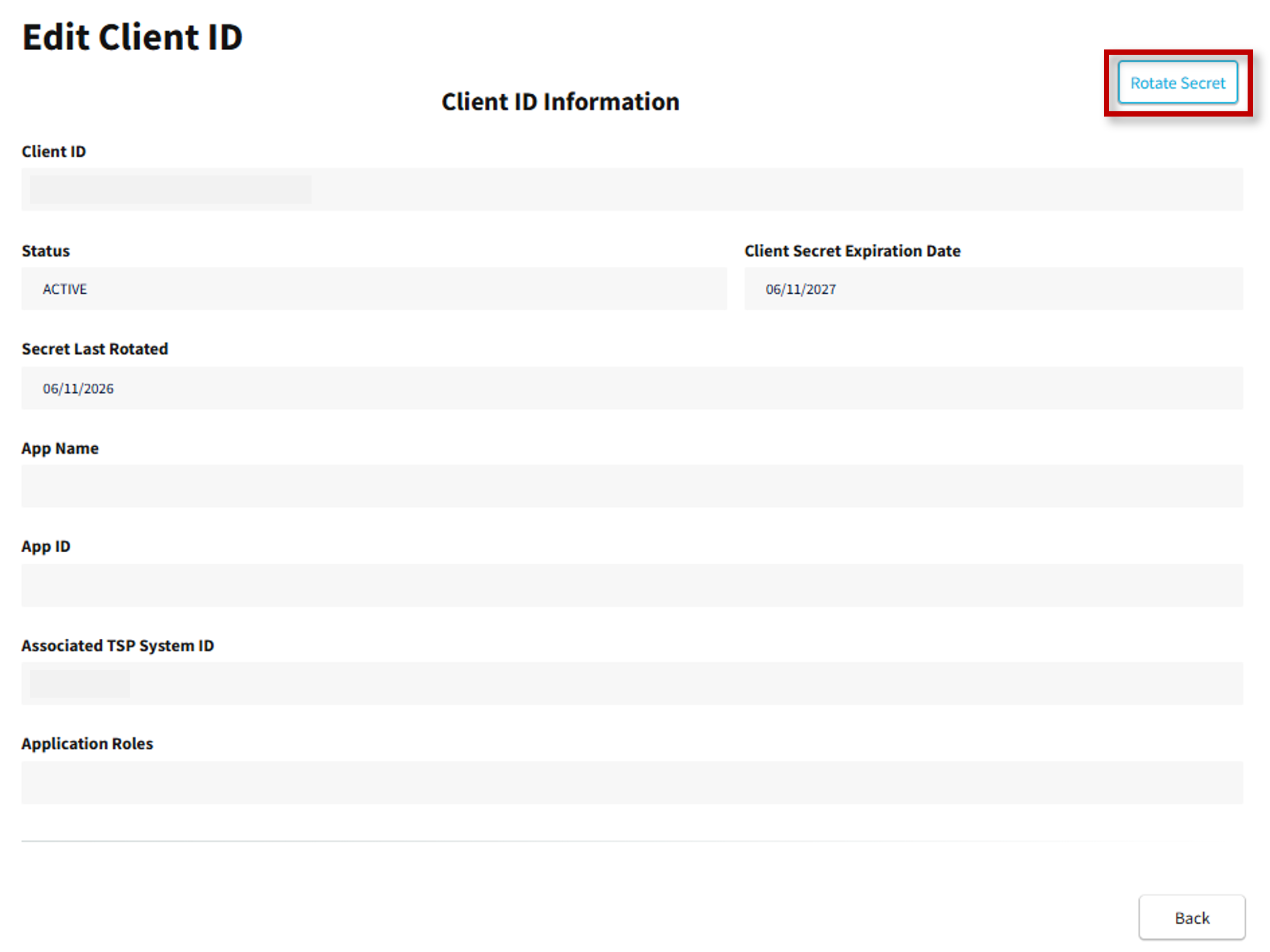
- The Edit Auth Code Grant Client ID screen appears, and Client ID Information is provided. Select Rotate Secret.
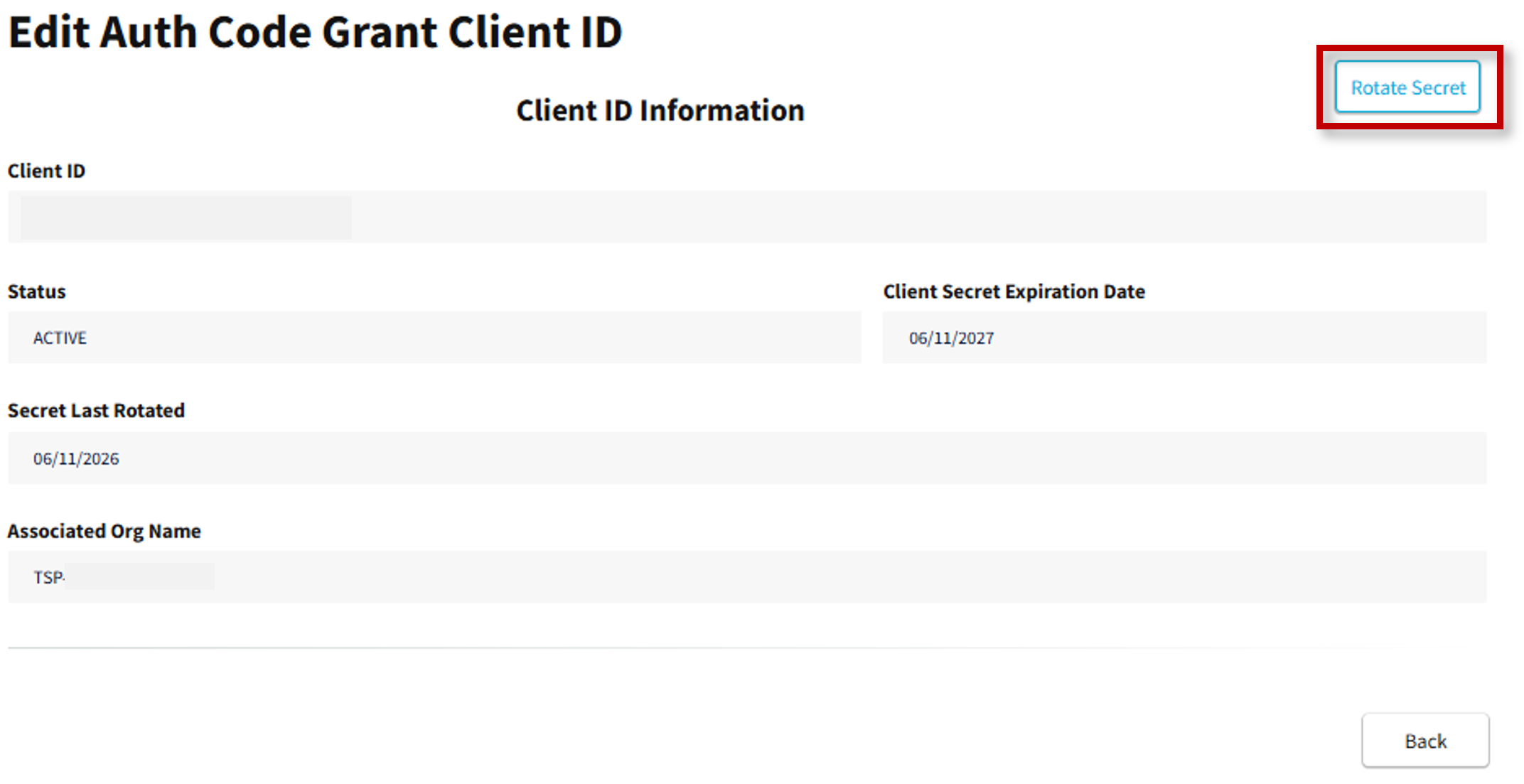
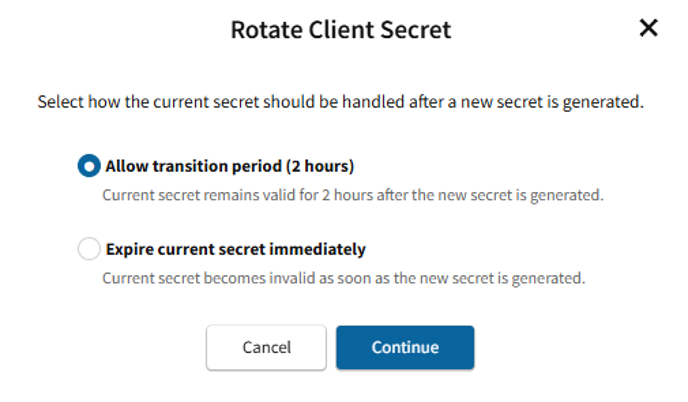
- The Rotating Secret confirmation appears. Select Rotate Secret to obtain updated secret, then select Continue.
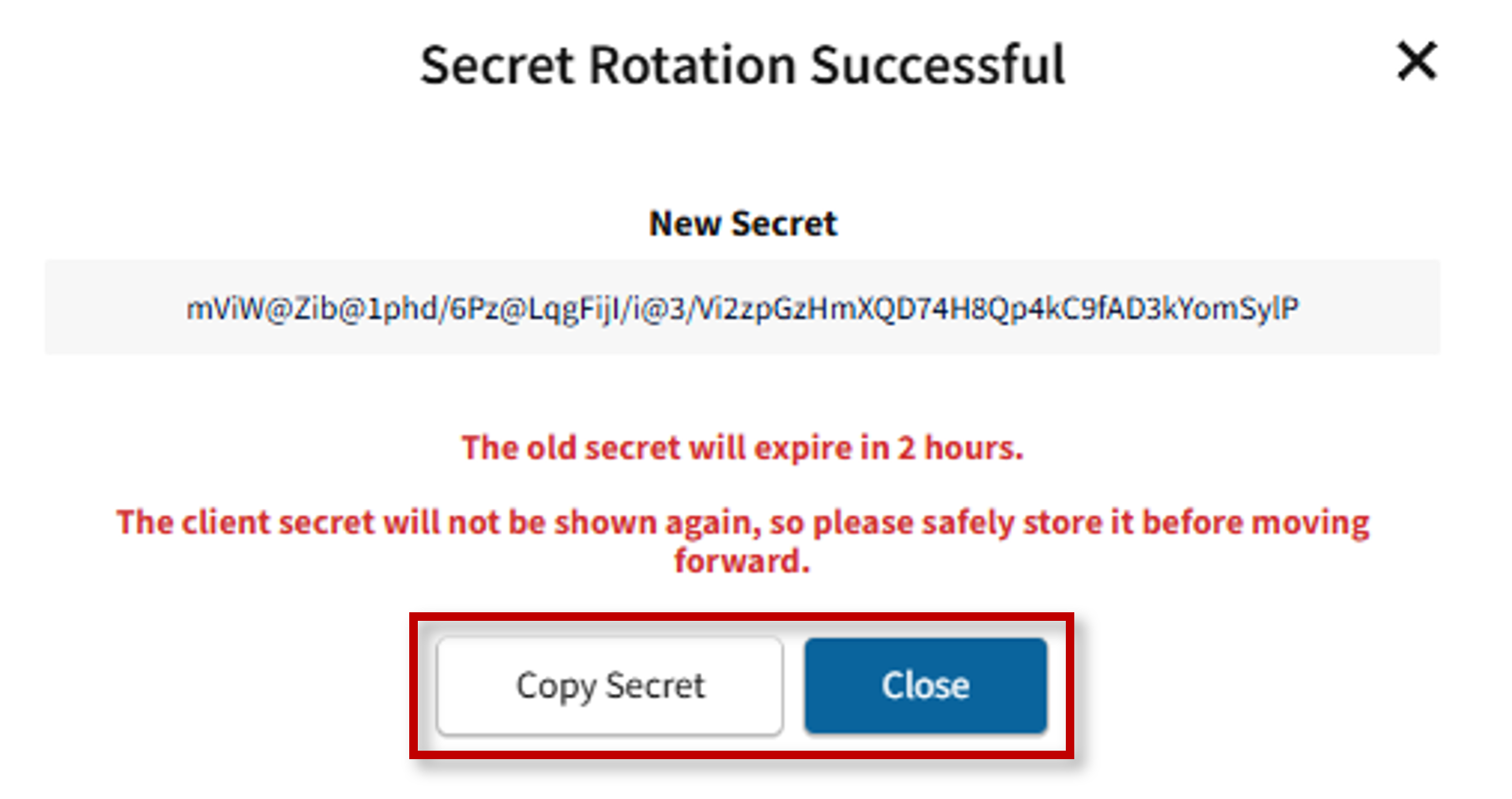
- The Secret Rotation Successful confirmation message appears. Select Copy Secret for later use, then select Close.
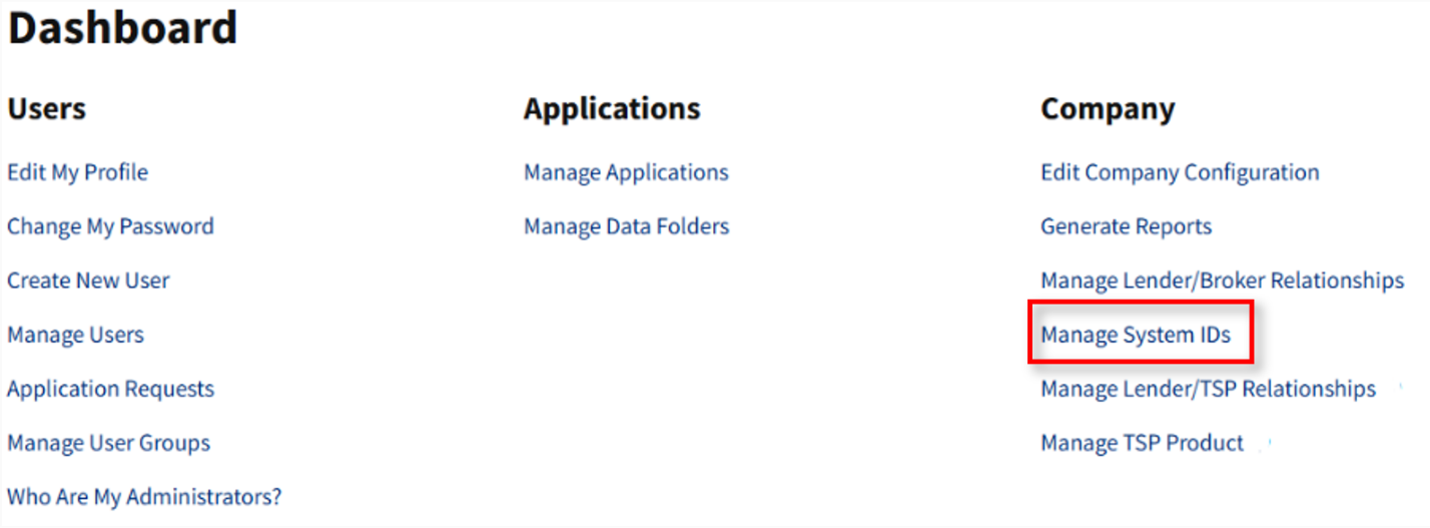
- Additionally, from the dashboard, you may view Client ID information by selecting Manage System IDs.
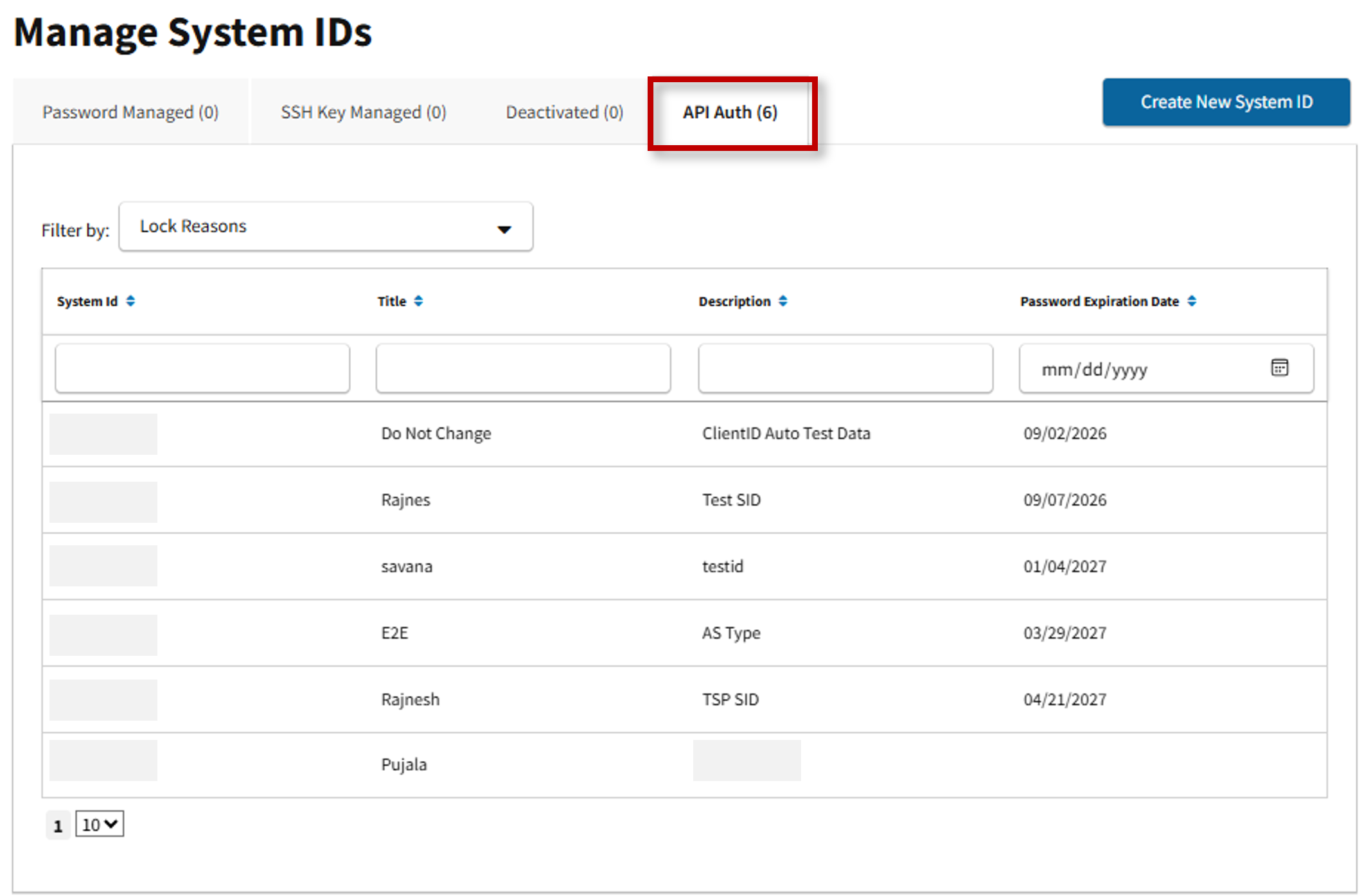
- The Manage System IDs screen appears. Select the API Auth tab, then select the applicable API System ID.
- Select the Client Information tab to view pertinent client ID data, then select Edit.
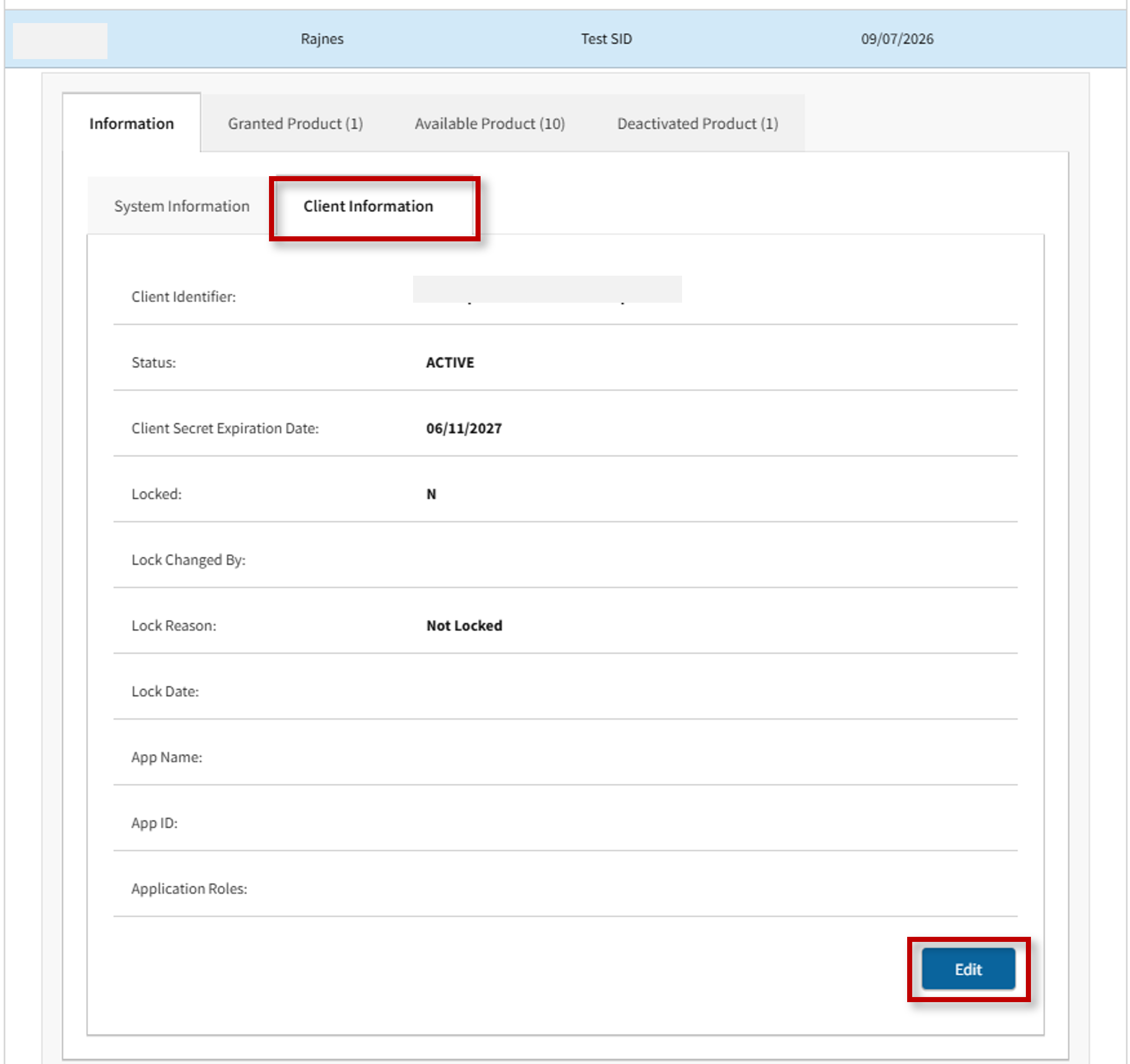
- The Edit Client ID screen appears. Select Rotate Secret and return to step #4 above for further instructions.