My web
Deactivate TSP Product

This job aid explains how a Lender Corporate Administrator (Lender CA) may deactivate a TSP Product.
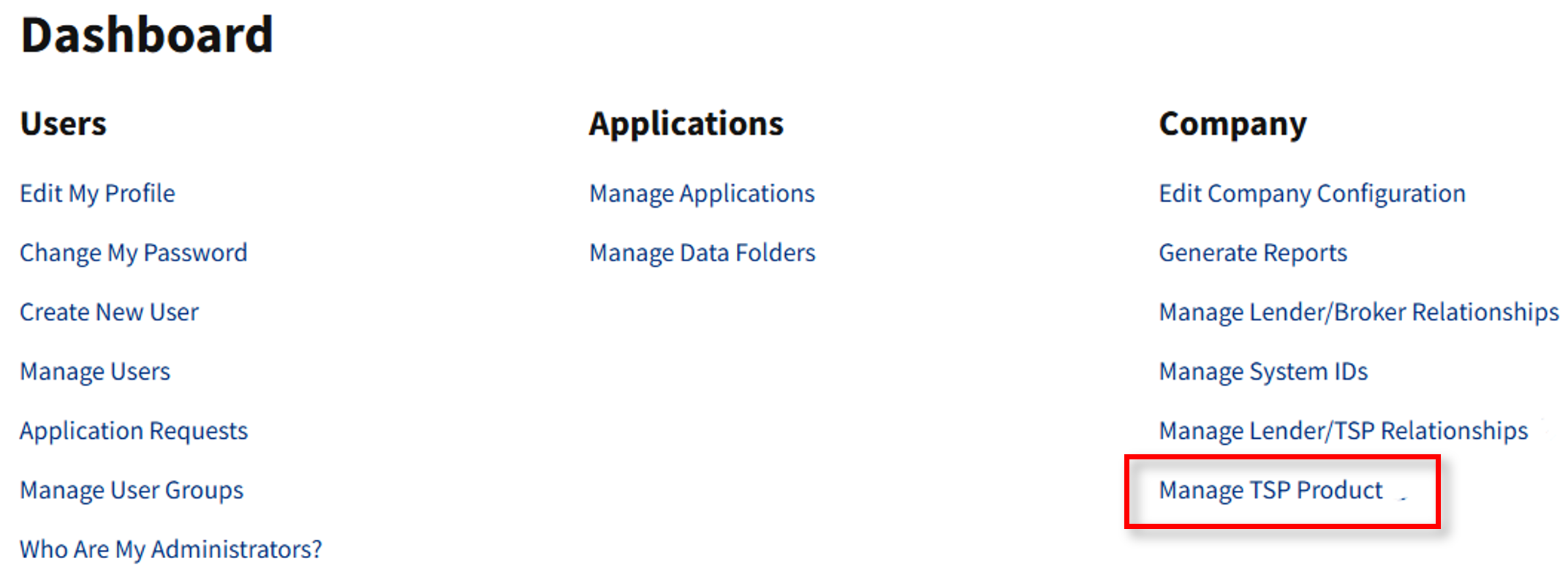
- Go to https://technologymanager.fanniemae.com and log in. Select Manage TSP Product.
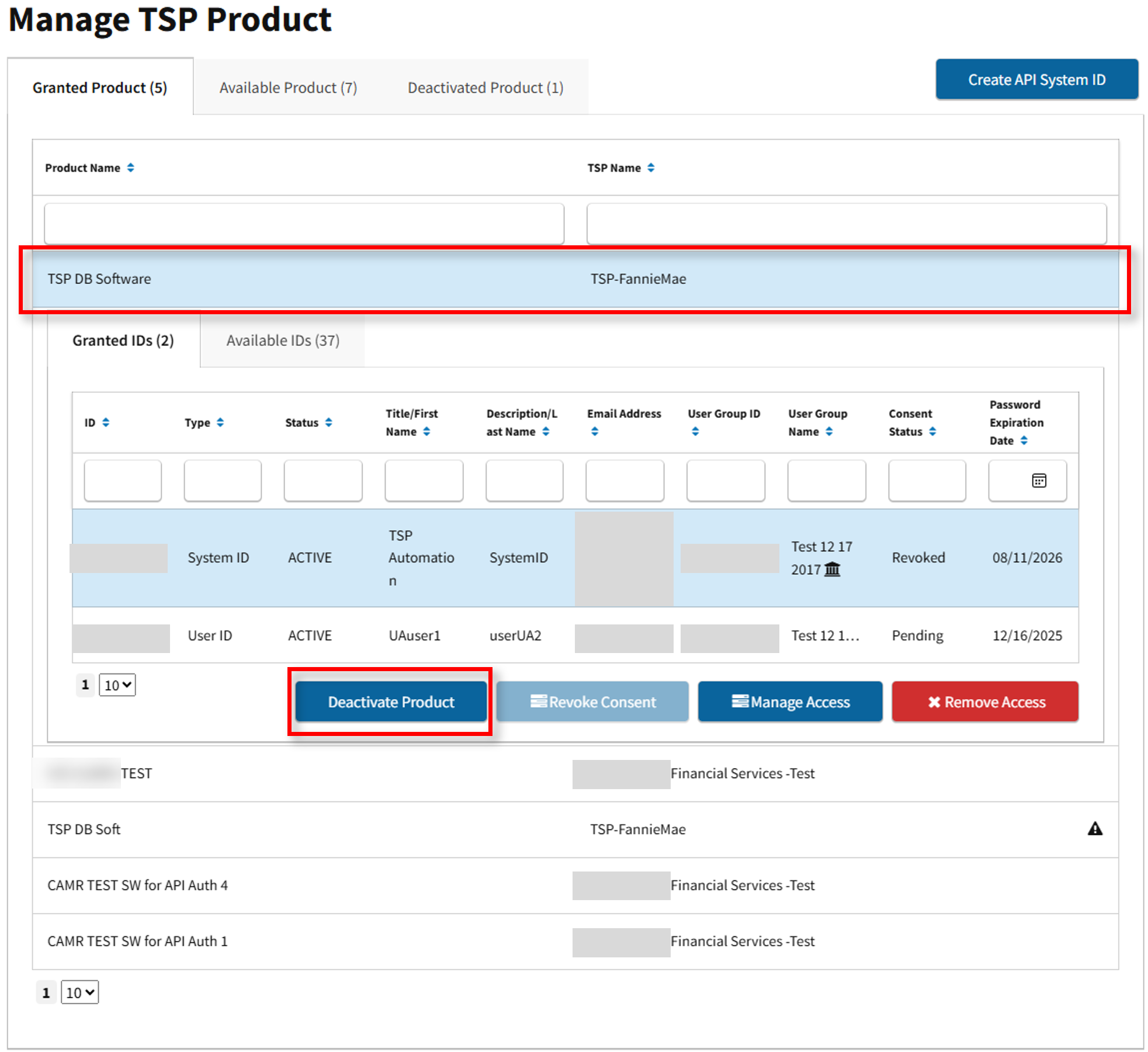
- The Manage TSP Product screen appears. Here you may view Granted, Available and Deactivated Product. Under the Granted Product tab, locate the TSP product and select Deactivate Product.
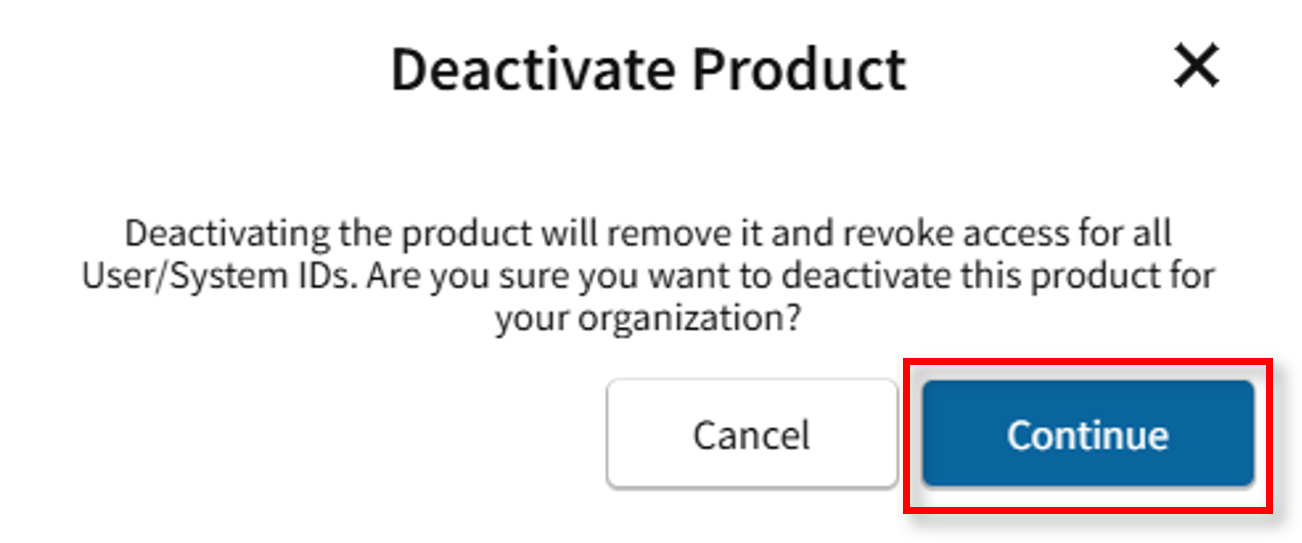
- The Deactivate Product confirmation message appears. Select Continue.
- The Product Deactivated success message appears.

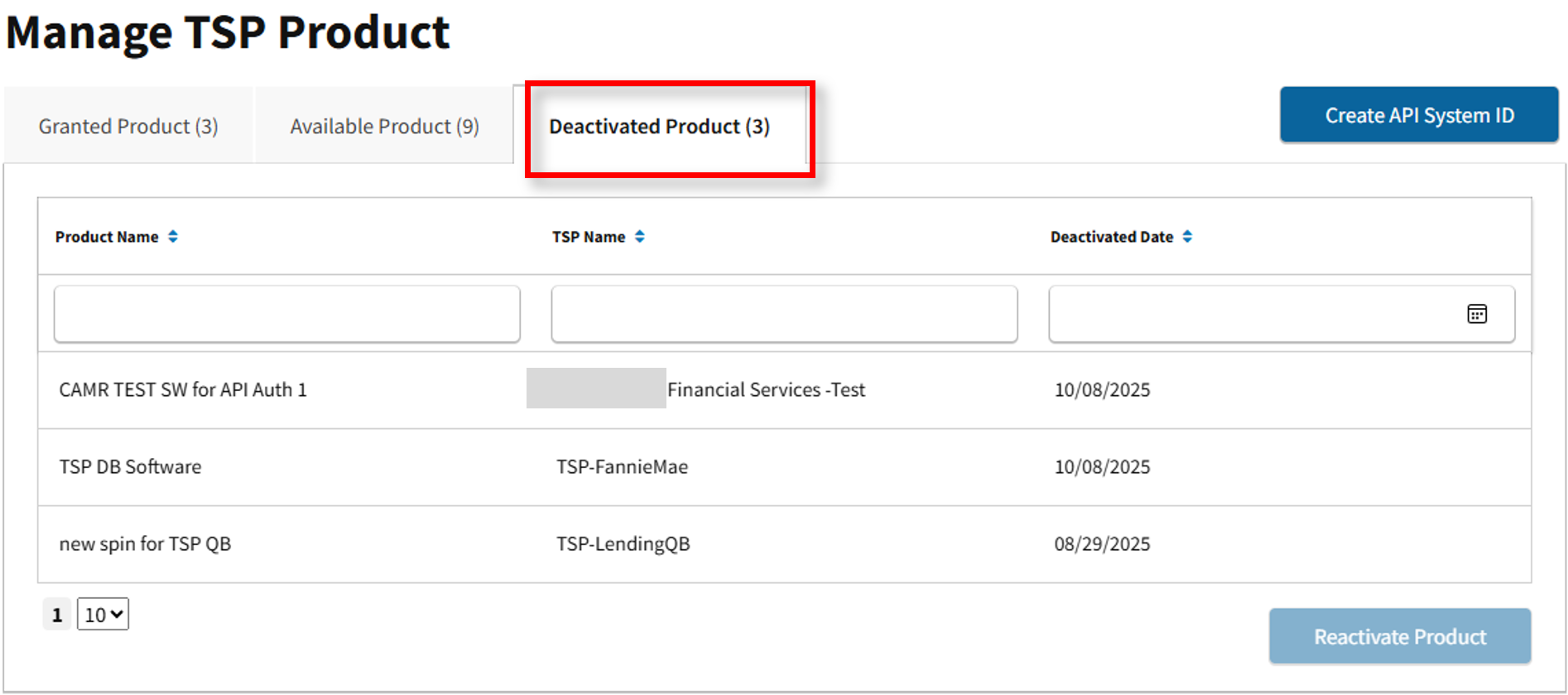
- Go to the Manage TSP Product page and the TSP Product will now appear under the Deactivated Product tab.