My web
Create API System ID

This job aid explains how a Technology Service Provider Corporate Administrator (TSP CA) may create an API System ID.
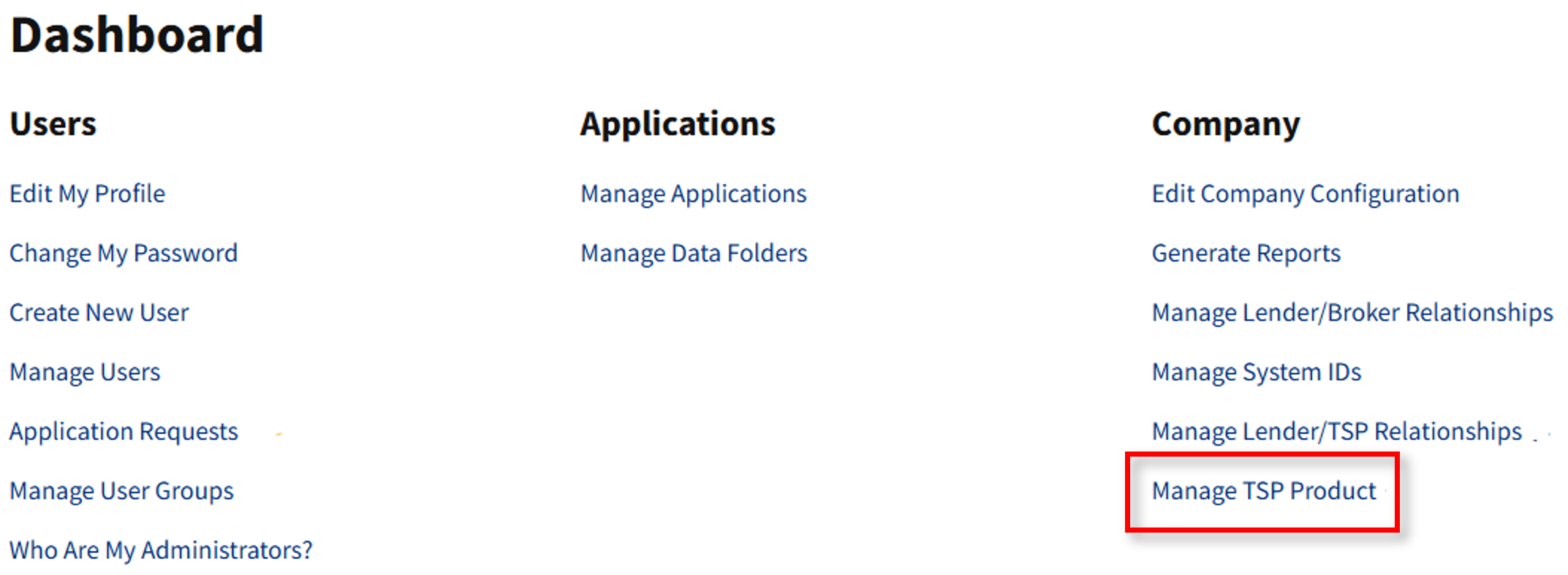
- Go to https://technologymanager.fanniemae.com and log in. Select Manage TSP Product.
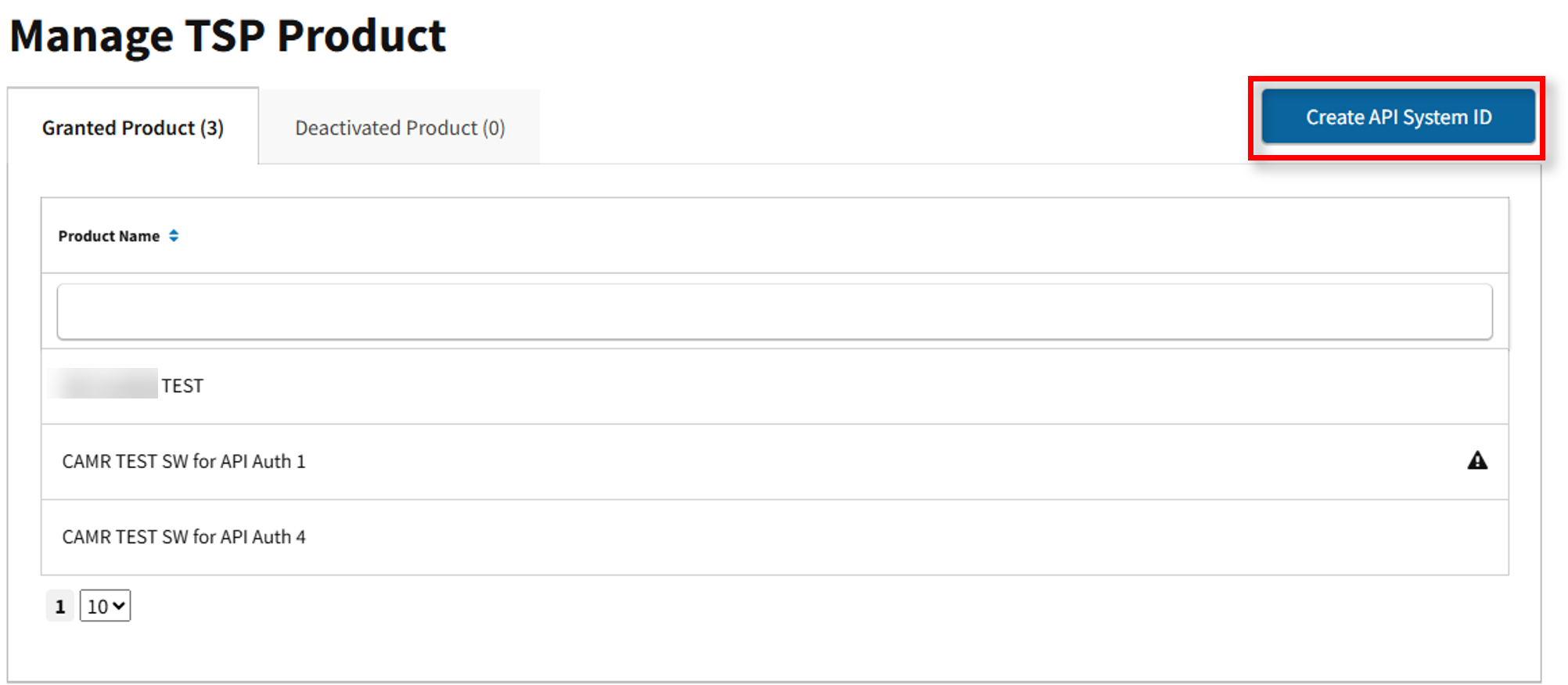
- The Manage TSP Product screen appears. Here you may view Granted and Deactivated Product. Select Create API System ID.
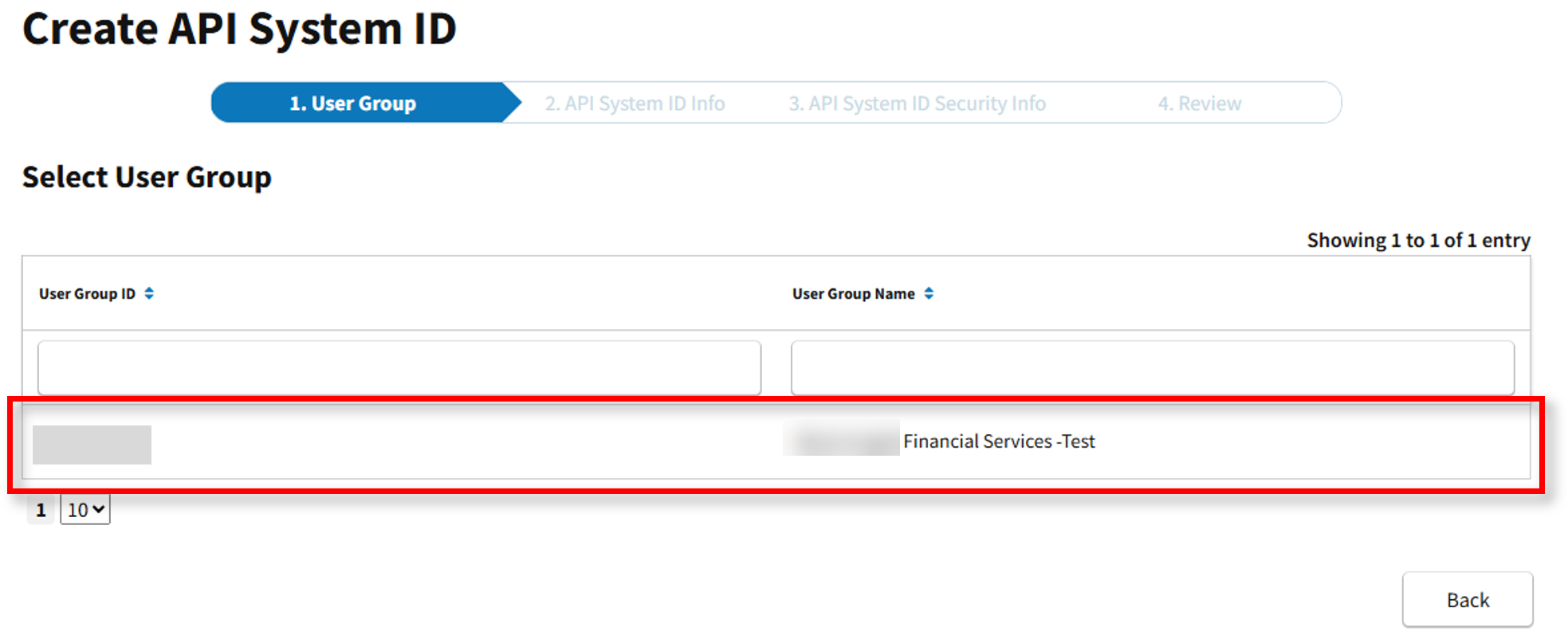
- The Create API System ID page appears. Select the applicable User Group.
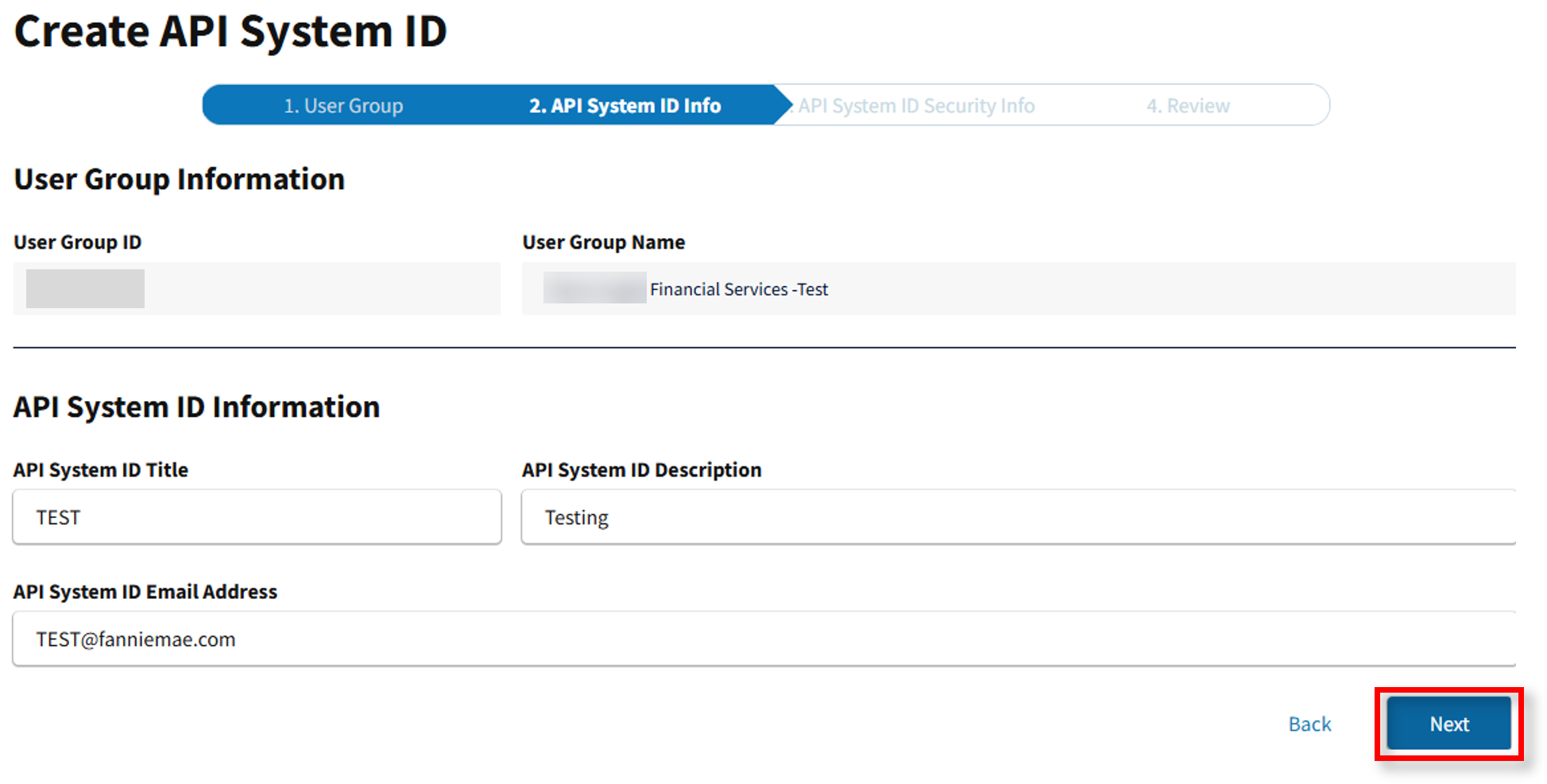
- Populate API System ID Title, Description and Email Address, then select Next.
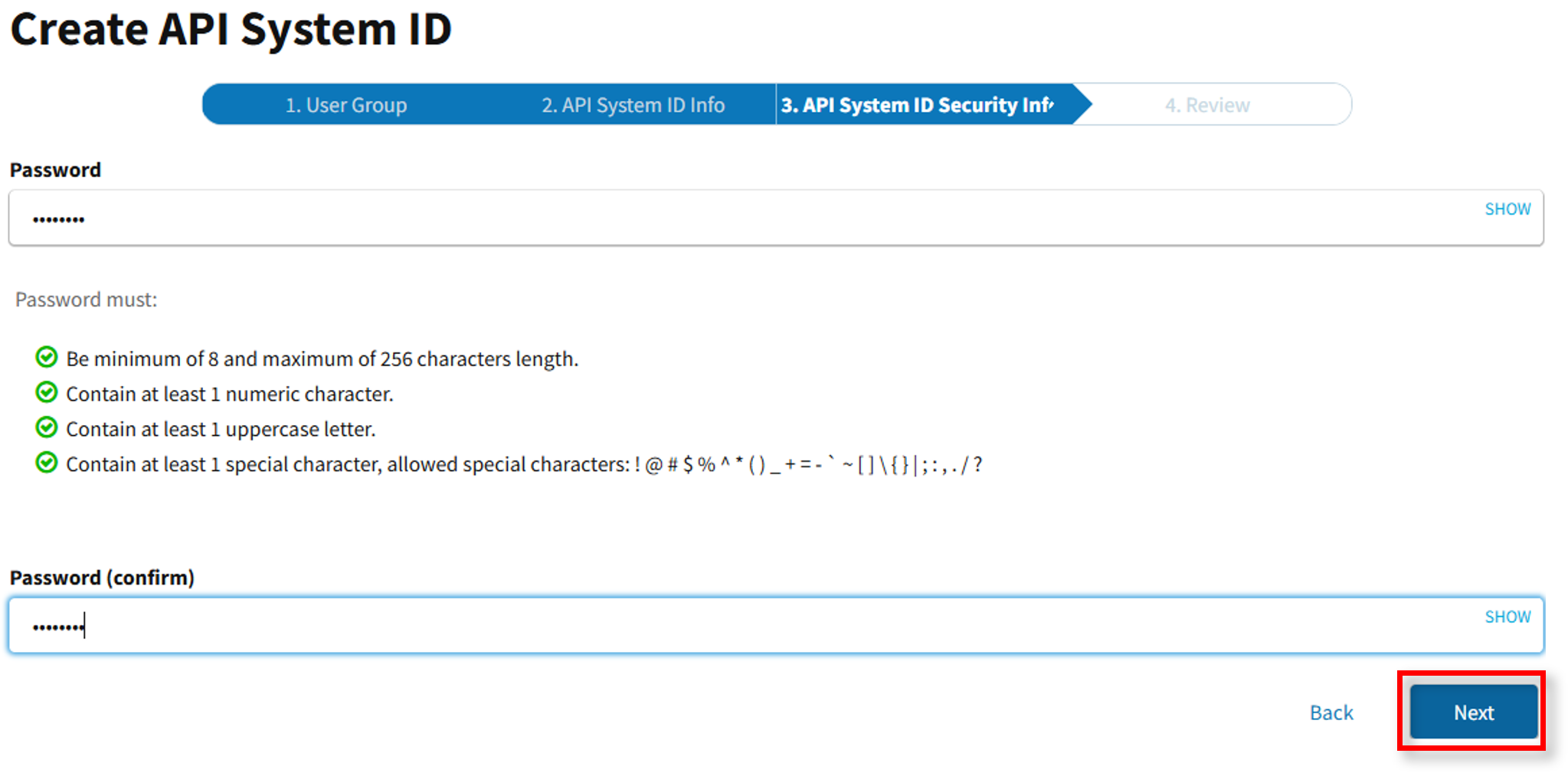
- Enter your password and follow the password criteria, then select Next.
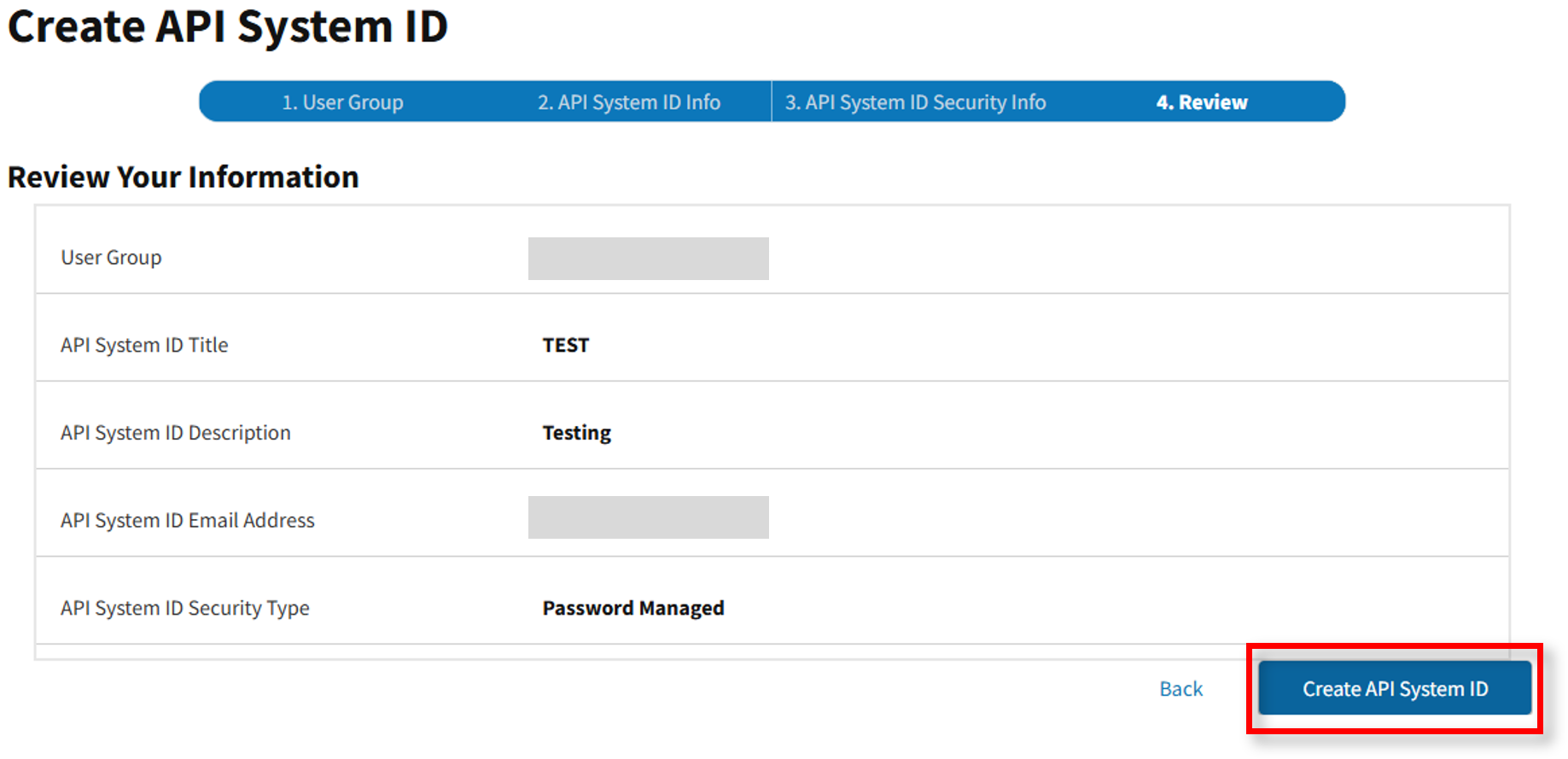
- The Create API System ID screen reappears. Select Create API System ID.
- The Created API System ID success message appears.